Adding a (Jekyll) Collection
See that nifty sidebar navigation to the ← ? Each item there is a collection, a relatively new feature in Jekyll that allows you to set up groups of files, just like posts, but aren’t constrained to some of their limitations. Here’s a link to the Jekyll documentation on them.
Before adding a collection, be sure to double-check if there might be a good home for your content in an existing one. We want to keep the Aardvark Garden neat and tidy, and a bunch of cluttered, semi-redundant collections will lead to weeds and other bad garden-type things. Before creating a collection, ping Jay or Olivier!
How to set up a collection
Once you’ve cloned the the directory, you’ll need to start with the _config.yml file. There’s a list under "collections:" where you can add your collection. You’ll want to name it something memorable and relevant. A good example is “cssplayground”. You’ll want to add that, then add a colon at the end and add output: true on the next line. You should follow the same syntax as all the other collections, like this:
collections:
  integrationplayground:
    output: true
  cssplayground:
    output: true
  yourneatcollection:
    output: true
After you’ve modified the config.yml, you’ll need to create a new folder that has the identical name as your new collection, except that it has an underscore at the beginning. So cssplayground would transform to _cssplayground.
Inside that new collection folder, you can create a bunch of markdown files that contain whatever you’d like them to contain. Those should include metadata at the top of the page following this syntax:
---
layout: page
title: Have you met Jordan?
---
As a final step, we’d recommend setting up an index. You can copy the index from the CSS playground or the Wildest West. In your own index, you’ll need to change the for statement to site.yourneatcollection, like this:
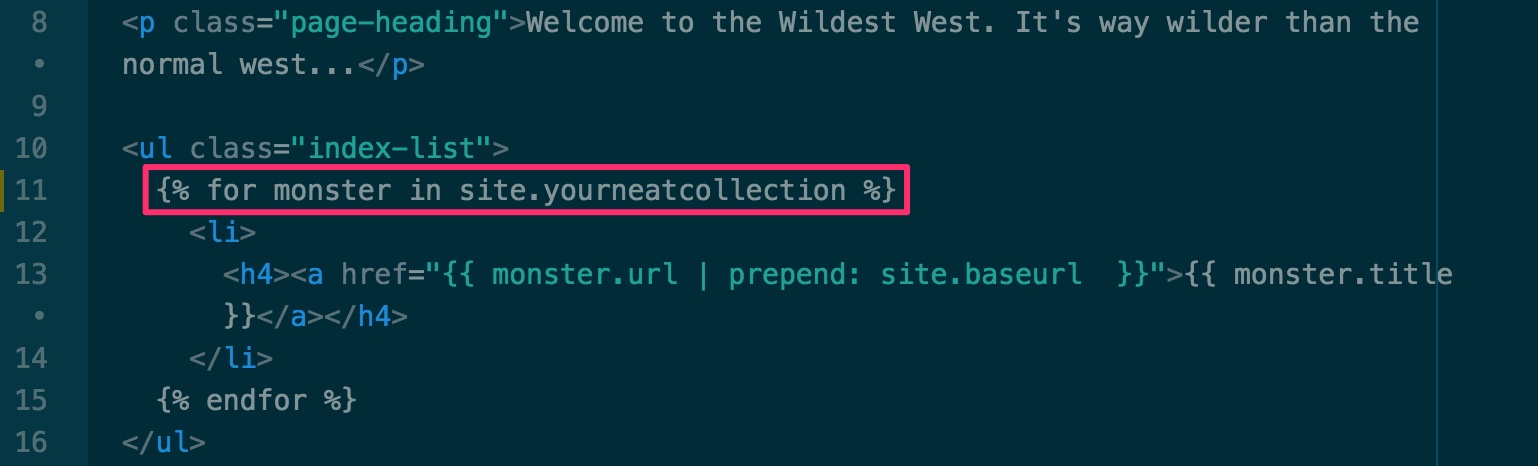
After that you’ll be able to navigate to your new collection from the sidebar navigation of the site and have a snazzy index.
IMPORTANT NOTE! Jay says, if you’d like your index to have its pages appear in the dynamic nav bar, you’ll need to add a collection metadata tag. That tag needs to match your collection’s name. For example, the CSS Playground index has the tag
collection: cssplayground, but the Wildest West index has the tagcollection: hydesince that’s its collection name.